Sharing and Exporting
Share a List with your team or anyone by email, and export your data to Excel or CSV.
Once your List is enriched, getting it to the right people is simple — whether that's a teammate, a client, or another tool.
Share
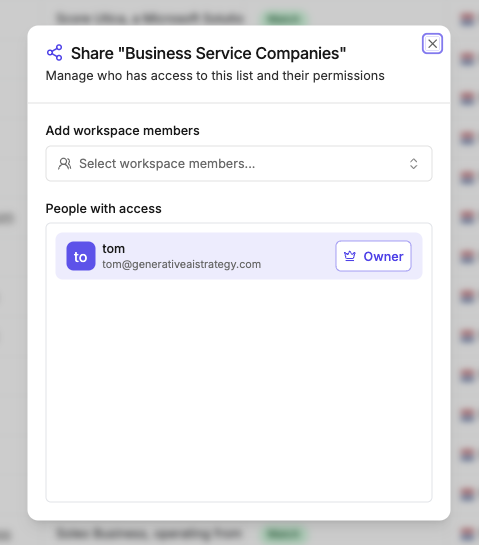
Click Share (top right), type a name or email, set the permission level, and share.
You can share with two kinds of people:
- Workspace members — anyone already in your workspace shows up as you type
- Anyone else, by email — type any email address that isn't a workspace member (they don't even need a Saleshunt account) and Saleshunt sends them an invite to the List
When you share, you grant one of two permission levels:
| Permission | Access |
|---|---|
| Editor | View, edit, and enrich the List |
| Viewer | View and export — read-only |
Owner isn't a permission you assign — it's whoever created the List. The Owner has full control and can manage who else has access. When you share, you're granting Editor or Viewer.
These are per-List permissions, separate from workspace roles. For how workspace membership works, see Members.
Export
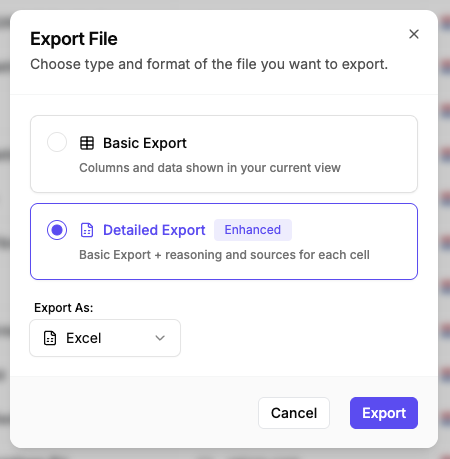
Click Export (top right), choose a format, and download. Both Excel and CSV are supported.
Two export types:
| Type | What you get |
|---|---|
| Basic export | Your List exactly as displayed — preserves applied filters and sorting. Best for quick sharing |
| Detailed export | Everything in Basic, plus the enrichment reasoning and source links behind each answer. Best for client presentations or reports that need full transparency |